Draw on the surface
Create rectangles, circles, slots and custom outlines directly on your selected mesh.
BLENDER ADD-ON / VERSION 1.0.0
Create editable cuts, openings and precision patterns directly on Blender meshes. Adjust dimensions, placement and profiles before you finalize.
For Blender 5.2 or newer. See the user guide for compatibility notes.
WORK WITH THE GEOMETRY
CutCraft uses editable cutter objects and Blender Boolean modifiers. Work on a target surface, control each opening, build repeated layouts and bake the result only when needed.
Rectangle, Circle, Rounded Box, Slot, Polygon, Star, Triangle, Hexagon, Diamond, Cross, Toothed Wheel, Custom Polygon
Keyway, T-Slot, Dovetail, Threaded Hole, Counterbore, Countersink, Stepped Bore
Create rectangles, circles, slots and custom outlines directly on your selected mesh.
Change dimensions, depth, bevels and selected profiles while keeping the cuts live.
Arrange cutters using mirror, grid, circular patterns, exact positions and measurement tools.
Bake eligible Boolean results into mesh geometry; keep an editable backup if needed.
ACTUAL BLENDER SCREENSHOTS
Select a screenshot to explore cutting, shape presets, placement tools and pattern workflows.
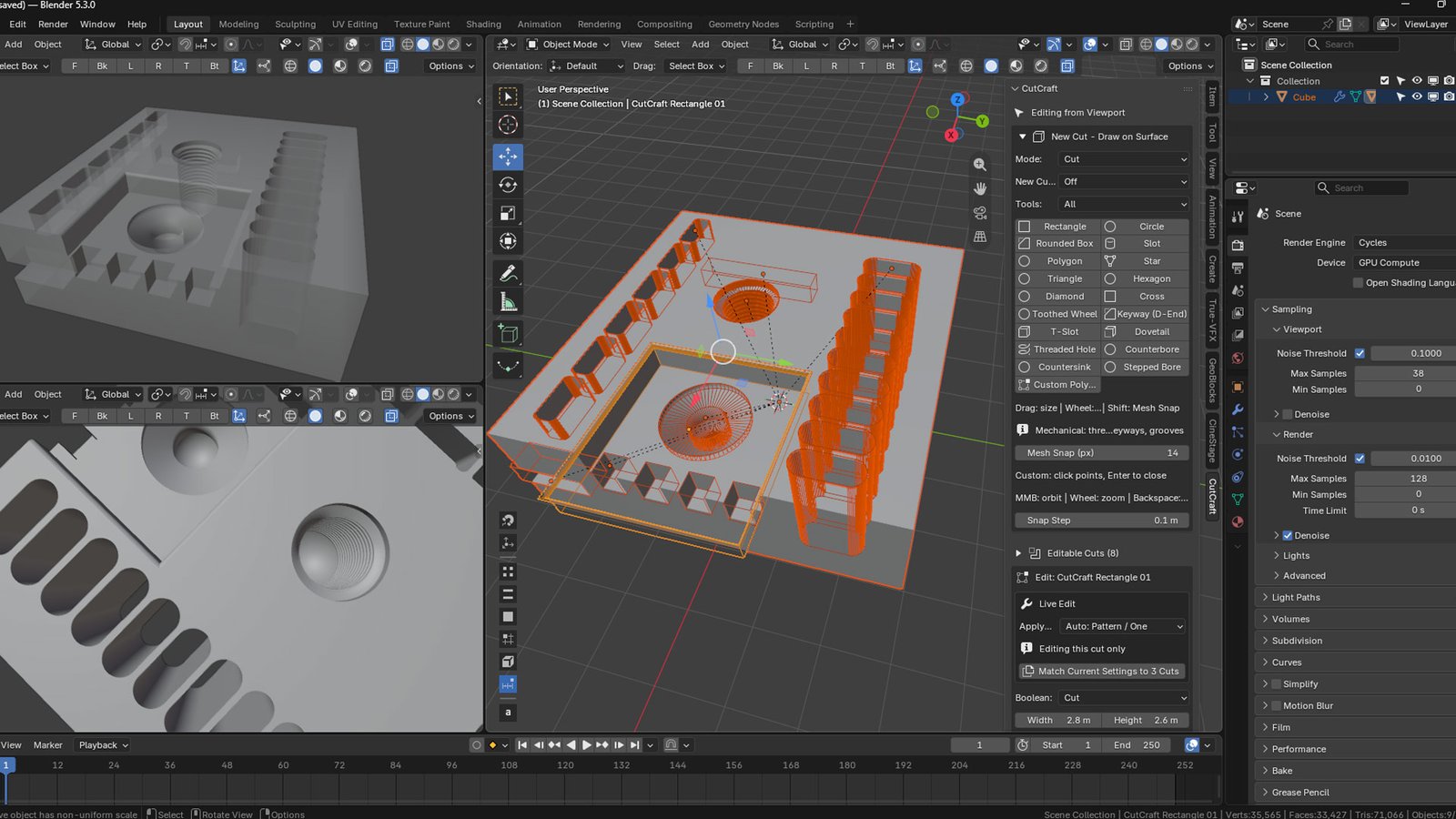
Modeling examples and editable cut outlines inside Blender.
GET STARTED
A straightforward Blender extension workflow. The user guide contains detailed controls, examples and known limitations.
In Blender, open Edit > Preferences > Get Extensions > Install from Disk, and choose the CutCraft ZIP.
In the 3D Viewport, press N and open the CutCraft sidebar tab. Select a mesh in Object Mode.
Choose a shape and draw on a mesh surface, then refine size, depth and placement as needed.
CutCraft is a Blender modeling extension, not certified CAD/CAM software. Mechanical profiles are for modeling and visualization, not guaranteed fabrication tolerances.