Shape and refine
Extrude, Boolean, remesh, smooth and reshape geometry with direct controls.
BLENDER / CREATIVE GEOMETRY
Create more. Wire less.
Geometry Nodes, made approachable. Build editable procedural effects from ready-to-use blocks directly in the Blender 3D Viewport.
GEOMETRY NODES, SIMPLIFIED
Choose a mesh or curve, start a procedural stack and build with ready-to-use blocks. Control each effect from the Blender 3D Viewport, reorder the stack and keep your work editable.
GeoBlocks brings approachable tools for modeling, distribution, motion and surface styling together in one workflow.
IN ACTION
Short demonstrations of real GeoBlocks tools, from surface deformation to curves, grass, hair and animated waves.
SELECTED DEMONSTRATION 01 / 10
Build roads, ribbons and pipe-like forms from editable curves.
Choose a thumbnail to preview. Press play to watch. Swipe thumbnails on mobile.
A CONNECTED WORKFLOW
GeoBlocks is more than a collection of isolated effects. Each block works on the geometry produced by the blocks above it. Start with a mesh or curve, add surface detail, shape the result, then populate it with repeated objects or procedural scatter.
Reorder blocks to change the outcome, adjust parameters directly in the 3D Viewport, and save combinations as user presets. Keep the stack live while exploring; when ready, Finish as Editable Modifier exposes supported controls in the modifier interface.
WORK WHERE YOU CREATE
The real GeoBlocks interface: browse effects, combine blocks, start from recipes and edit without manual node wiring.
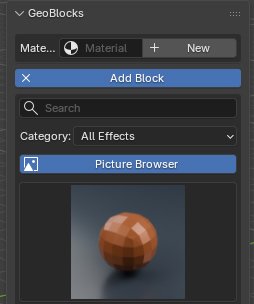
Find the block browser and your current controls without leaving Blender.
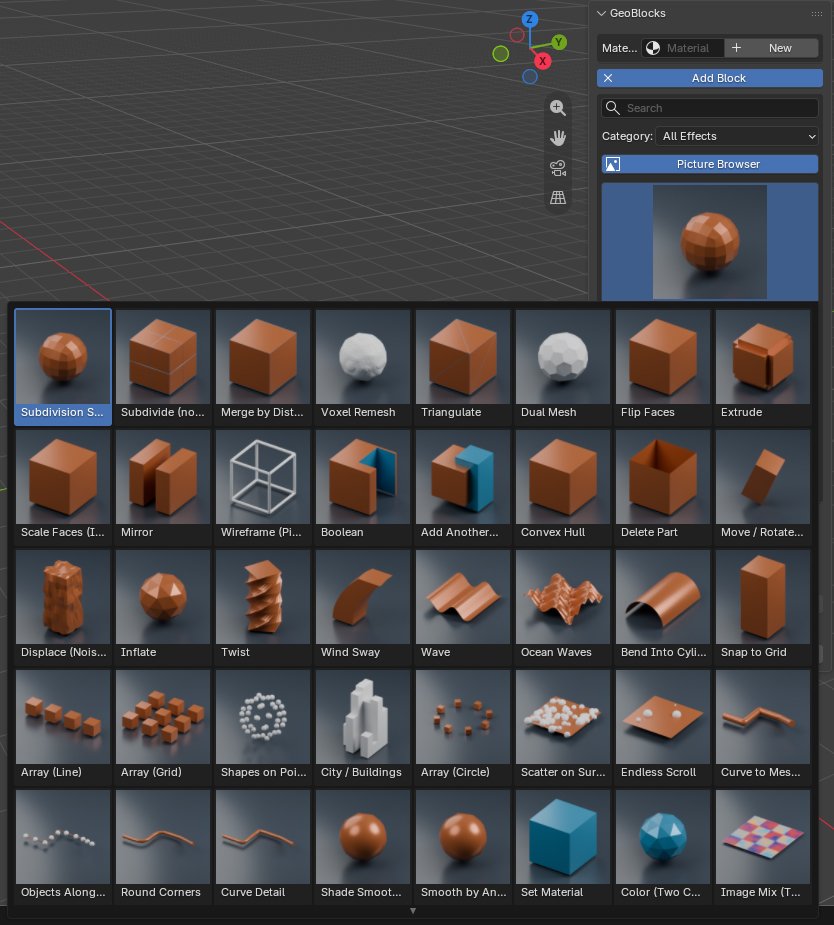
Preview tool families visually before adding them to your scene.
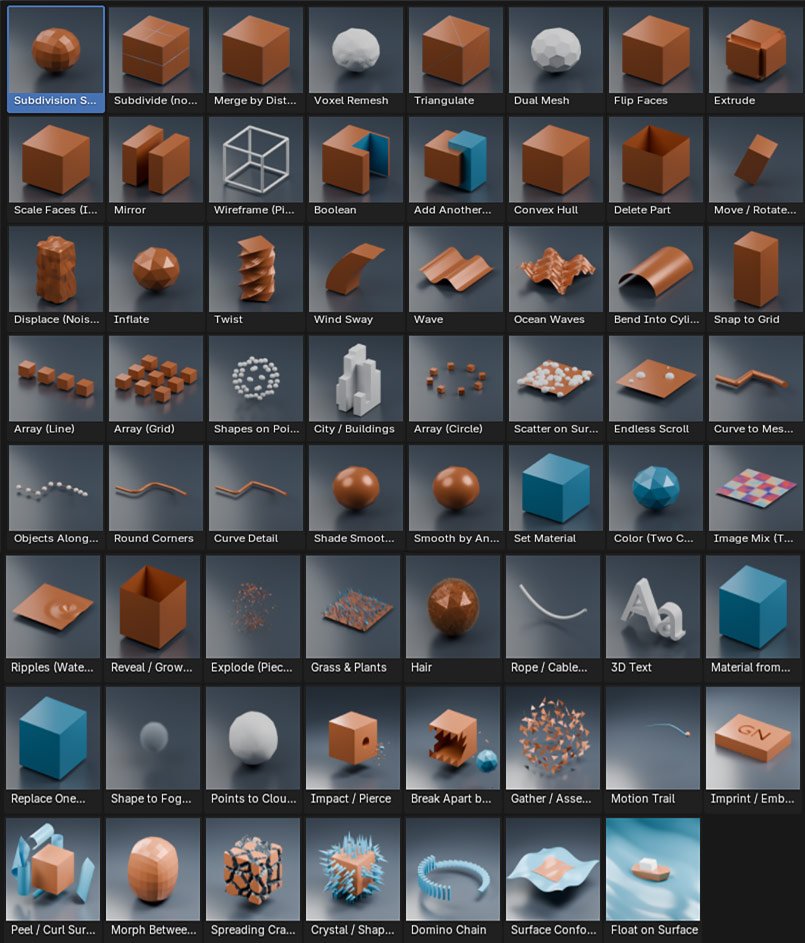
Browse the block previews and pick the effect that suits your model.
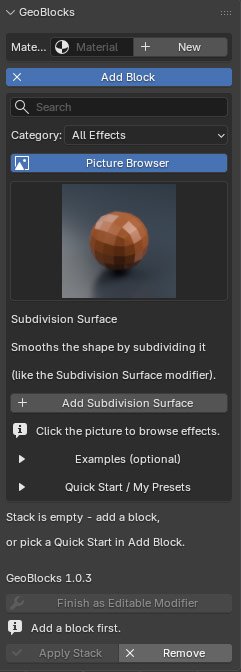
Adjust a block and keep the geometry editable while you work.
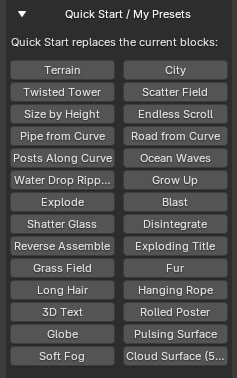
Begin with prepared combinations for terrain, curves, water and more.
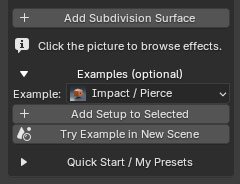
Add a sample setup to your selection or open a new practice scene.
MAKE EACH CHANGE COUNT
An effect does not always need to cover the entire object. Where supported, Apply to can focus on geometry above a height, facing a direction, inside a selected region, or near another object. Painted weights and vertex groups help define areas more precisely.
Many controls can also draw values from Random, Noise, Height, Distance, Time or Painted sources instead of a single fixed setting. Use those variations to direct surface detail, movement and distribution, while keeping the result adjustable.
BEYOND THE DEMOS
Use prepared blocks individually or combine them into a procedural stack. These tools extend well beyond the effects shown in the clips.
Extrude, Boolean, remesh, smooth and reshape geometry with direct controls.
Repeat objects along lines, circles, grids, points or the surface of another mesh.
Explore Impact, Break Apart, Assemble, Reveal, Peel and timed domino sequences.
Grow crystals or custom geometry across a surface with editable density and timing.
Turn curves into pipes and ribbons, round corners and distribute objects along routes.
Drive supported controls by noise, time, proximity, height or painted weights.
KEEP EXPLORING
The demos are just a starting point. Explore 63 creative blocks across 9 tool categories, with more ways to shape, distribute, animate and style your geometry.
CREATIVE RESULTS
A closer look at creative forms, procedural surfaces and motion.
START CREATING
Choose a mesh or curve, start a stack, add the tools you need and keep refining.