WHAT IT HELPS WITH
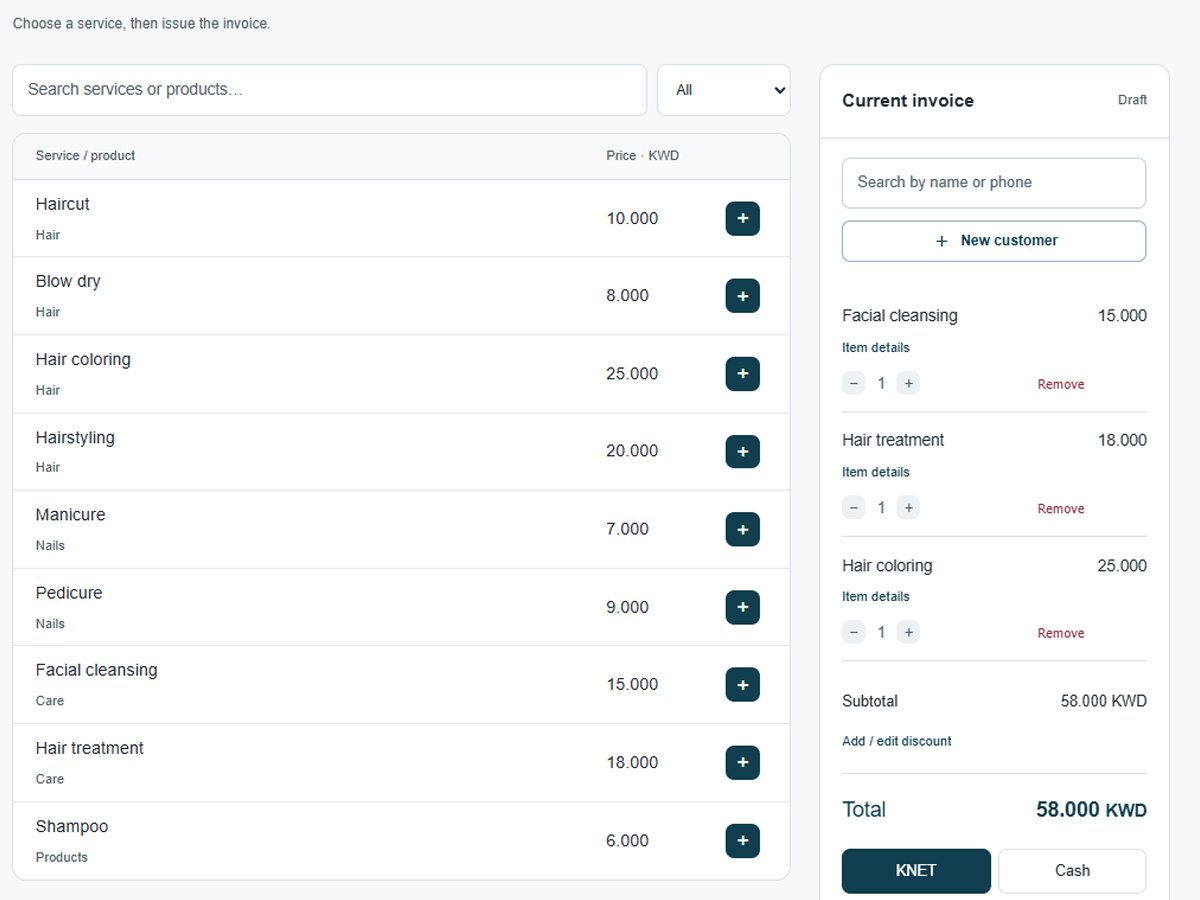
Sales & invoices
A simple service list, clear totals and a choice of cash or KNET. Print an invoice or save it as a PDF.
ACTUAL APPLICATION SCREENSHOT
MADE FOR YOUR SALON
Sales, appointments, customers and your team — together in one clear workspace. Designed to feel straightforward from the first invoice.
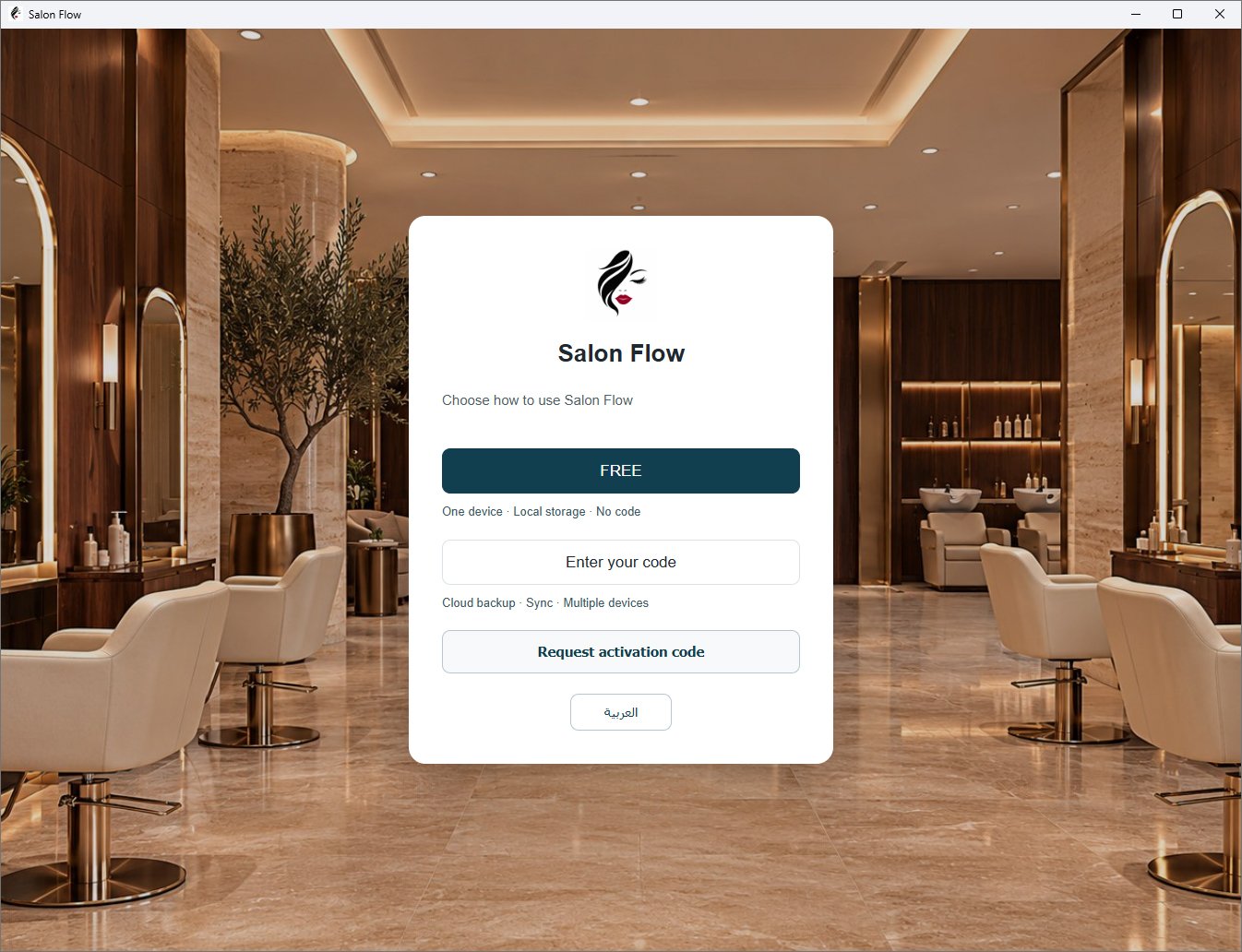
Choose FREE for one-device local use, or enter a code for cloud backup and multi-device sync.
Works in any browser
 SALON FLOW
THE DAILY ESSENTIALS
The tools your team needs, without making everyday work complicated.
WHAT IT HELPS WITH
A simple service list, clear totals and a choice of cash or KNET. Print an invoice or save it as a PDF.
ACTUAL APPLICATION SCREENSHOT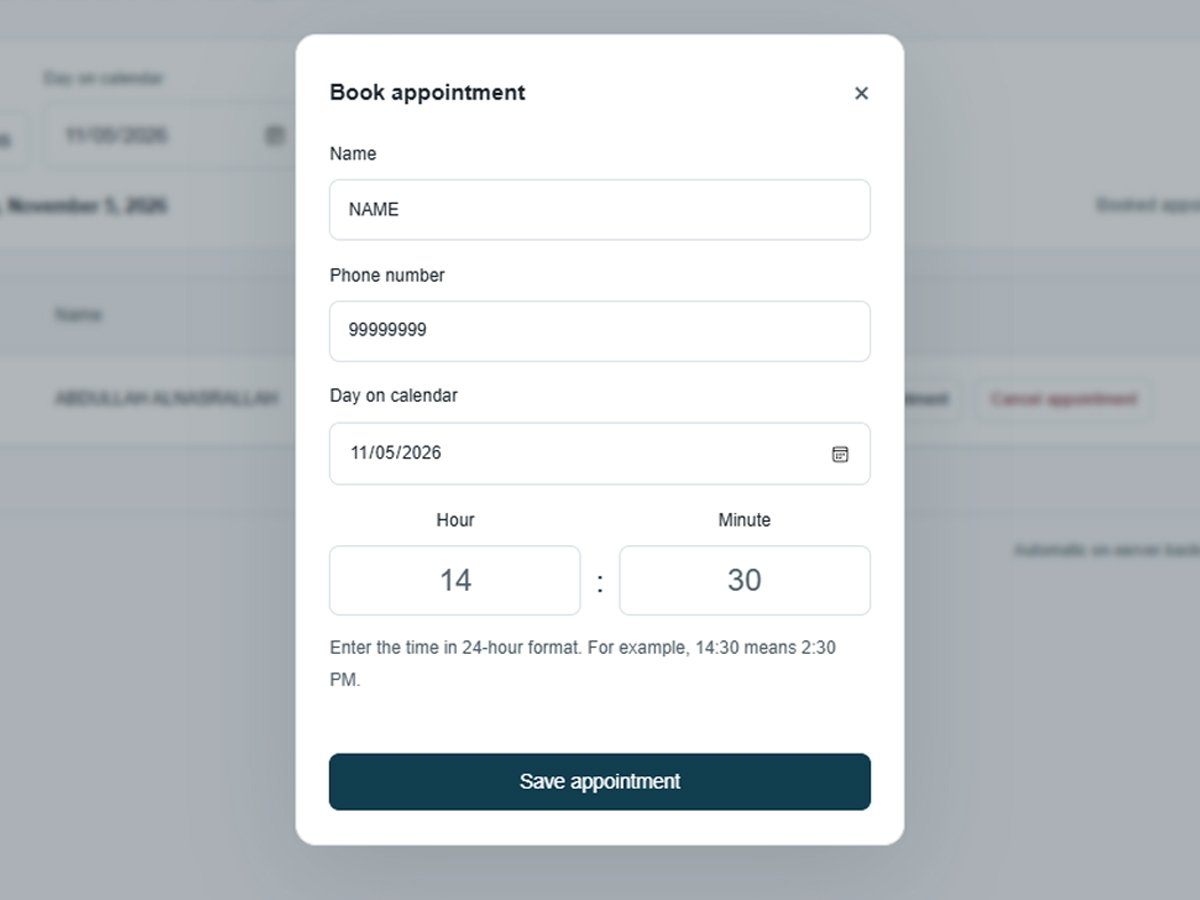
WHAT IT HELPS WITH
Choose the day, enter the time and keep the customer’s name and phone number with the booking.
ACTUAL APPLICATION SCREENSHOT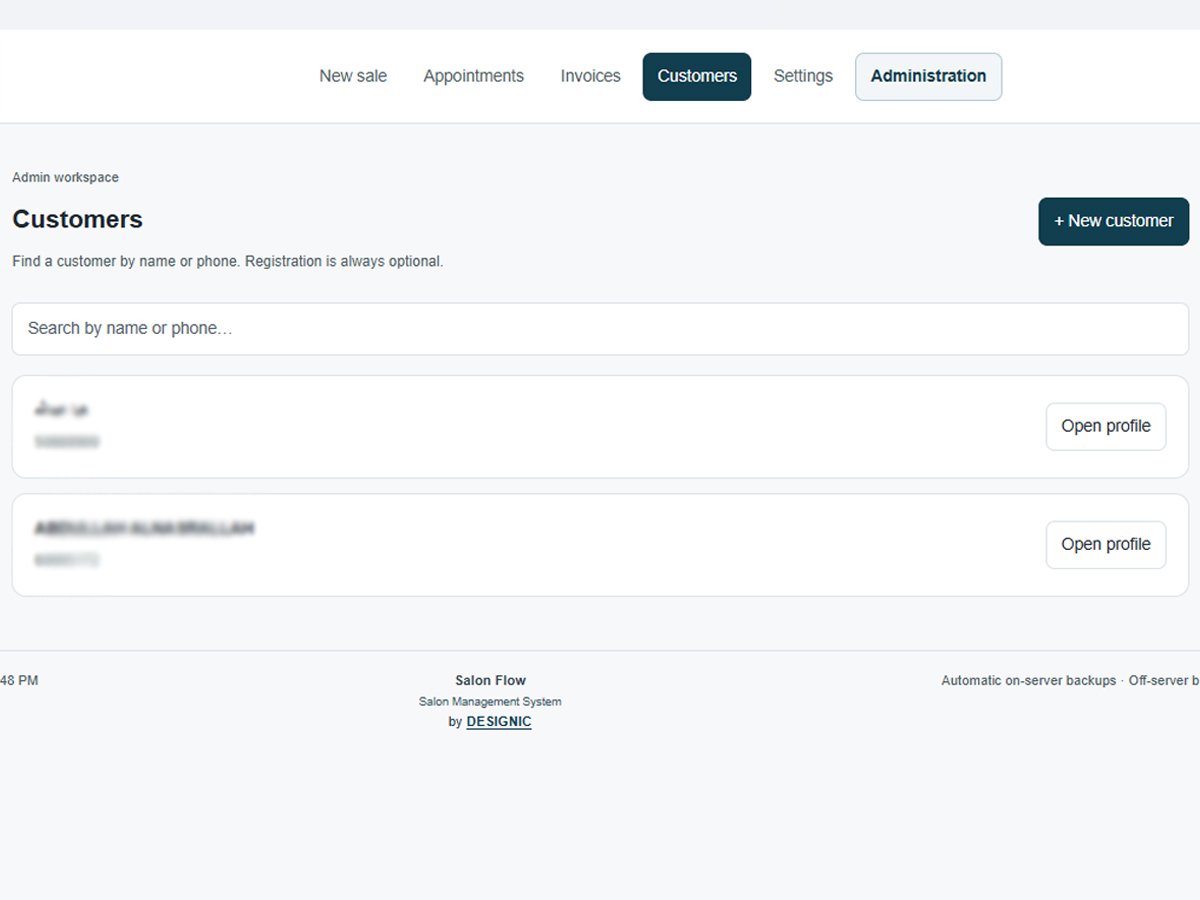
WHAT IT HELPS WITH
Find an existing customer by name or phone number. Complete a sale without personal details when needed.
ACTUAL APPLICATION SCREENSHOT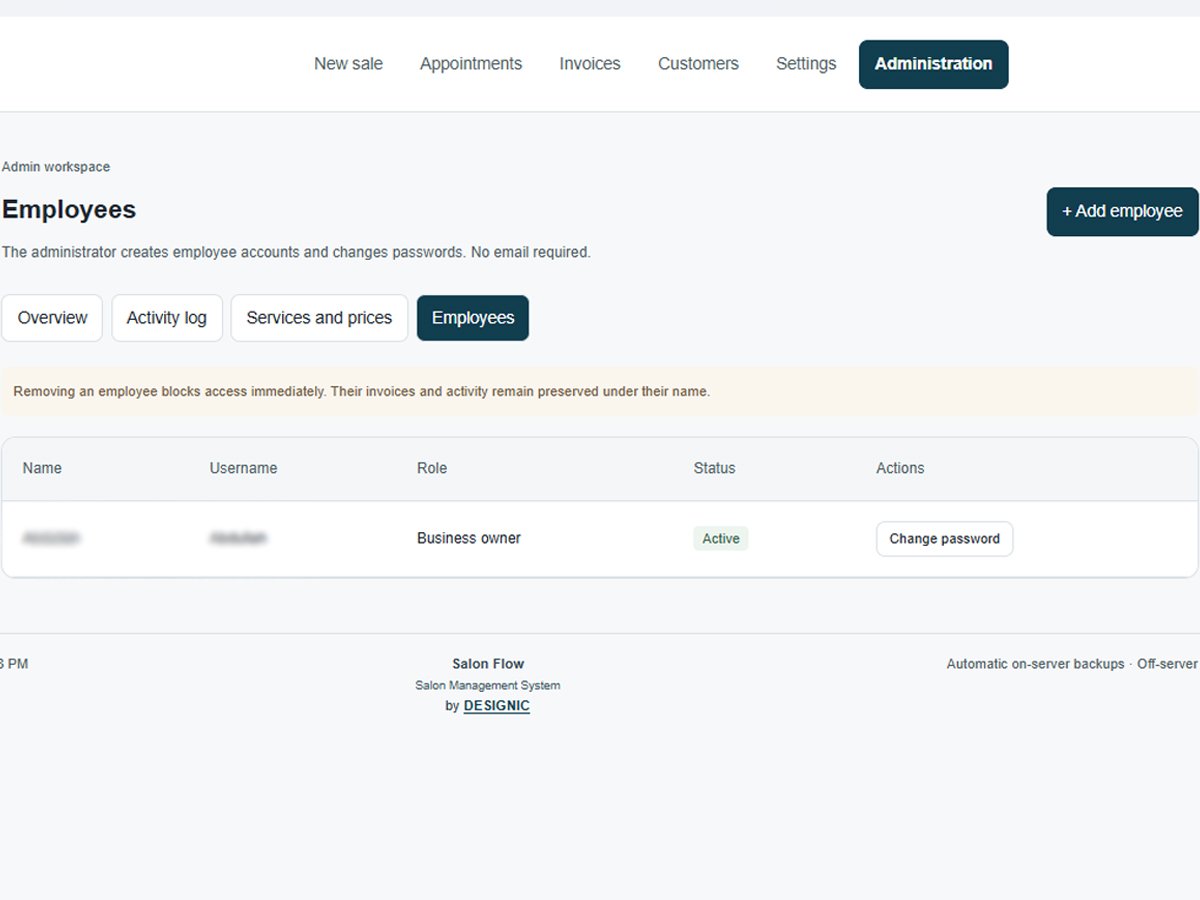
WHAT IT HELPS WITH
Separate owner and employee accounts, with owner-managed access and a history of recorded changes.
ACTUAL APPLICATION SCREENSHOT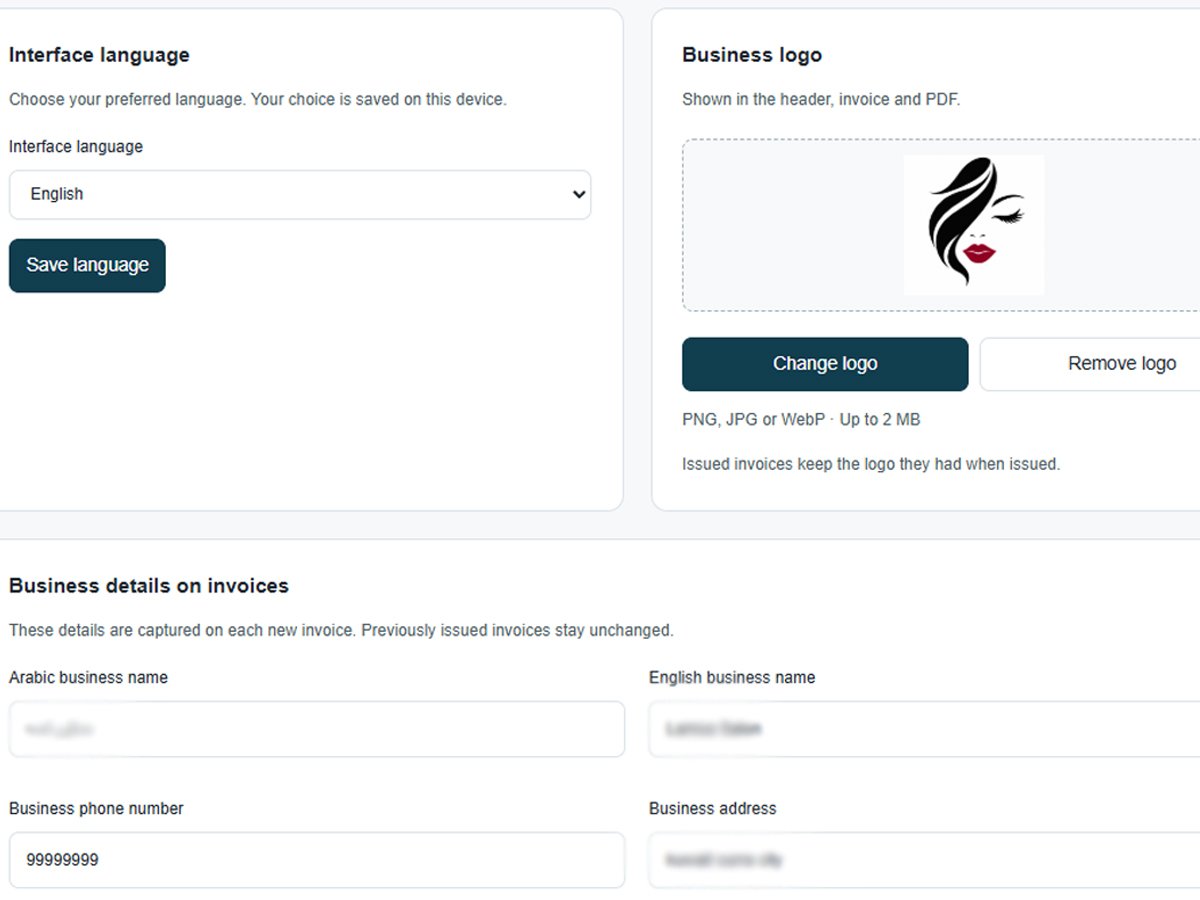
WHAT IT HELPS WITH
Set your business details, logo and interface language from one place. Business information appears on your invoices.
ACTUAL APPLICATION SCREENSHOT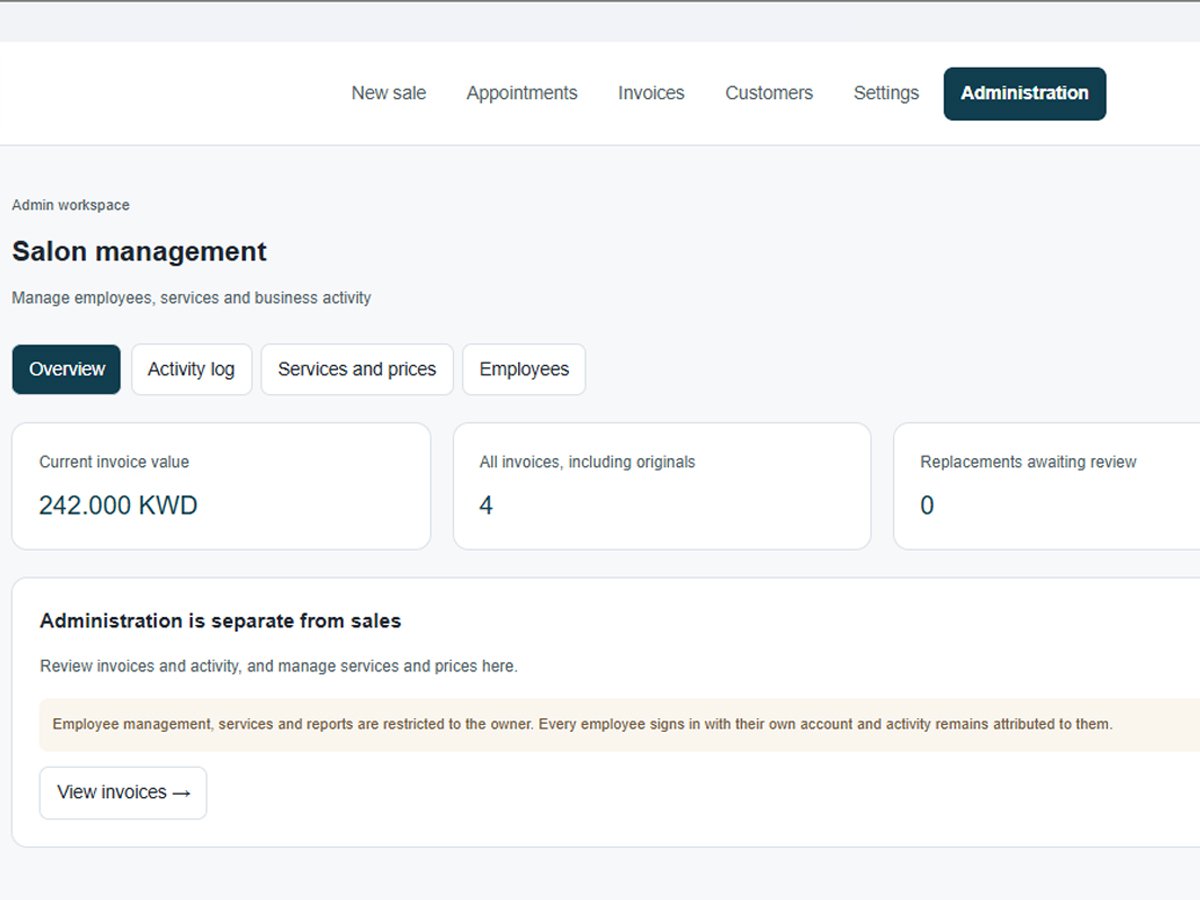
WHAT IT HELPS WITH
Review your salon overview and employee activity. FREE stores records on the device; an activated shop adds cloud backup and synchronisation.
ACTUAL APPLICATION SCREENSHOTFROM SERVICE TO INVOICE
Keep the customer moving and the details organised.
Add services or products from your salon’s price list.
Search by name or phone, create a record, or continue without details.
Confirm the total and payment method, then print or save a PDF.
A CLOSER LOOK
Explore invoices, printing and employee setup inside the actual application.
YOUR TEAM, CLEAR RESPONSIBILITIES
Create individual usernames and passwords for employees. Keep prices and staff administration with the owner, and review recorded activity by account and time.
FIND YOUR SETUP
One program. Start FREE on one device, or add cloud backup and connected devices with a subscription.
All the core tools for your salon, with local storage on one device.
Everything in FREE, plus cloud backup and connected devices. Check your salon from an authorised device while you are away.
FREE data stays on your device. Cloud access and the number of authorised devices depend on your active subscription.
GOOD TO KNOW
A few common questions about devices, FREE, cloud activation and everyday use.
Open the program and choose FREE or Enter your code. FREE stores records locally. Contact DESIGNIC through Instagram when you want cloud backup and multiple devices.
Yes. Open Salon Flow in the iPad browser. You can also add it to the Home Screen for easier access. A separate App Store download is not required.
After first activation and sign-in, a previously loaded workspace can keep sales locally through a temporary outage. Reconnect to synchronise and verify your account. First-time setup and a new device need internet.
No. Customer details are optional for a sale. When details are available, you can keep them with the customer record and invoice.
FREE keeps records only on your device, without cloud backup or synchronisation. Clearing browser or application data removes that local copy. An activated workspace has automatic encrypted server backups with restoration checks. Off-server backups are not currently enabled.
The application interface supports Arabic and English. Invoices use Arabic labels and Kuwaiti dinars, with your configured business details.
FREE includes sales, invoices, customers, appointments and employee accounts on one device. Records stay in that browser or Windows application. It does not include automatic cloud backup or synchronisation.
An activated shop adds automatic encrypted server backups and synchronisation between authorised devices. The number of devices and subscription duration are set by your code.
Use Buy Code to contact DESIGNIC through the configured Instagram or purchase link. Confirm your subscription and device allowance before activating the code in Salon Flow.
Yes. The local administrator can choose activation and data transfer from FREE settings. Sign in as the owner of an empty cloud shop. Existing cloud records cannot be merged with the local workspace; the local copy is kept as an archive after a successful transfer.
Yes. Use Salon Flow through your browser on Android, iPhone or iPad. Windows also has a desktop application. A browser needs internet to load the application for the first time.
Yes, with an activation code that allows multiple devices. Each device must be activated online. FREE workspaces stay separate on each device and do not synchronise with one another.
No. The owner creates each employee account with a username and password, and manages password changes and access. Employees sign in with their own accounts.
Their invoices remain in the shop records under the issuing account. Removing an employee blocks their access; it does not erase their issued invoices or recorded activity.
Yes. Add your business logo, name, phone number and address in settings. New invoices use those details. Issued invoices retain the information recorded when they were created.